cplieger/marotte
Kiro in your browser: a self-hosted agentic IDE with chat, editor, terminal and git
10K+
cplieger/marotte repository overview
marotte
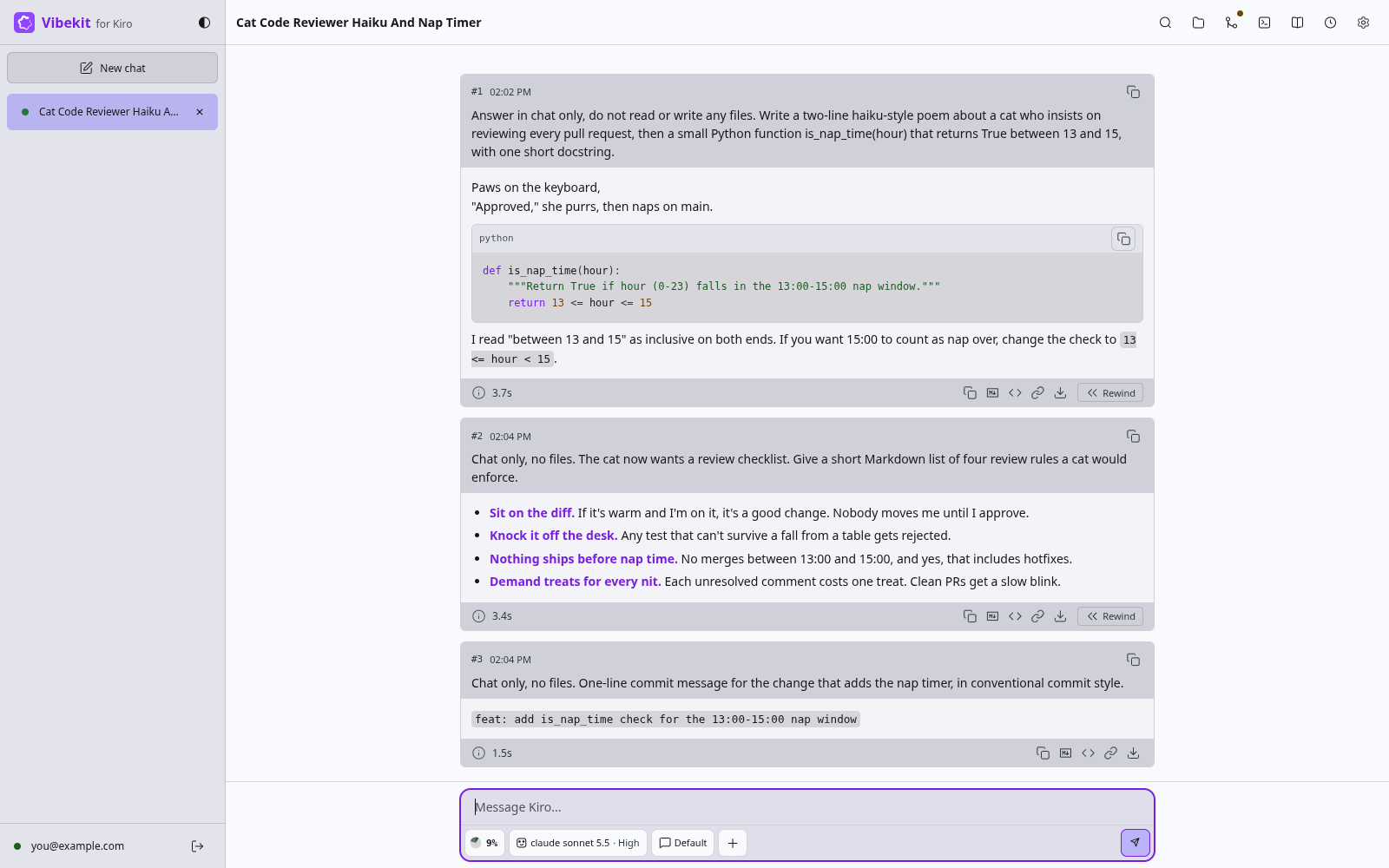
marotte puts Kiro in your browser as a self-hosted agentic IDE. Chat with the Kiro agent, kiro-cli, from a phone or a desktop, with a file editor, a terminal and git in the same tab.
⚠️ Alpha software
marotte is in alpha. Any update can change how it works, or how chats and settings are stored, without converting yours. Pin an image tag from the releases instead of latest, and read the release notes before you upgrade.
What it does
marotte lets you write and ship code with the Kiro agent from any device, while your repositories and chats stay on your own server.
- Pick up the same conversation on every screen, your phone included.
- Review a whole turn's file edits before you keep them, or rewind a chat and its edits.
- Edit files, use a terminal, and commit and open pull requests on GitHub, GitLab, Codeberg or Gitea.
- Install language servers and command-line tools from a catalog of about 900.
- Get notified when the agent finishes or needs approval.
Who it is for
marotte is built for a developer who wants a full Kiro workspace on a server they run, in any browser. Start a task at your desk, then follow it and answer the agent from your phone. One container is one person's workspace.
You need a Kiro account and an amd64 or arm64 Docker host. marotte has no login of its own, so keep it on your private network or behind a reverse proxy with a login.
Consider Web Terminal for Kiro, by the same author, if you want kiro-cli's own terminal screen with no chat layer.
marotte is free software under the AGPL-3.0-or-later license.
Pull
docker pull cplieger/marotte:latest
Also published to ghcr.io/cplieger/marotte with identical images and tags. Release versions are tagged vX.Y.Z alongside latest.
Quick start
# Example compose for marotte. See the README for all configuration options and hardening.
services:
  marotte:
    image: ghcr.io/cplieger/marotte:latest
    container_name: marotte
    restart: unless-stopped
    # Create the three host folders below and run "sudo chown -R 1000:1000 /opt/appdata/marotte"
    # before the first start, or the container restarts in a loop. If .env sets PUID and PGID, use those numbers.
    user: "${PUID:-1000}:${PGID:-1000}"

    ports:
      - "9847:9847"  # keep this port on your own network, see README "Security"

    volumes:
      - "/opt/appdata/marotte/config:/config"  # chats, the Kiro sign-in, installed tools
      - "/opt/appdata/marotte/workspace:/workspace"  # your repositories
      - "/opt/appdata/marotte/uploads:/uploads"  # files you attach to a message
Documentation
- Full documentation — configuration, behavior, security
- Configuration
- Features
- Security
- How marotte works
- Extra kiro-cli launch flags (
MAROTTE_KIRO_ACP_ARGS) - OS packages
- Contributing
- Releases and changelog
License
AGPL-3.0-or-later. See LICENSE. The image carries the license text of every bundled component under /usr/share/licenses/.
The terminal's two web fonts ship under their own licences, each licence text served beside the font files under /vendor/fonts/: Monaspace Neon NF under SIL Open Font License 1.1, and web-terminal-glyphs under Apache-2.0.
Tag summary
Content type
Image
Digest
sha256:37e916bbf…
Size
83.1 MB
Last updated
about 16 hours ago
docker pull cplieger/marotte